Capture and follow through
Connected Chrome job capture to an explicit review/save handoff, manual application stages, interview preparation and time-zone-aware scheduling.
Keep the next opportunity in view.
A full-stack companion for capturing jobs, tracking applications, preparing for interviews, organizing resume versions and reviewing offers.
Job-search workflow / independent engineering project
Early-career job seekers managing their own employment search, especially graduates keeping listings, conversations, documents and next steps across several websites.
A job search fragments quickly across browser tabs, notes, resume copies and deadlines. The seeker needs a reliable record of what they saved, what they submitted and what they need to prepare next.
Built the application and interview workflows, account-scoped persistence, Sidekick capture handoff, document/version boundaries, Offer Desk and Career Vault, plus the supporting local PDF tools.
Connected Chrome job capture to an explicit review/save handoff, manual application stages, interview preparation and time-zone-aware scheduling.
Built server-backed account workspaces, scoped document versions and lifecycle rules, with a separate browser-local guest mode and explicit backup/import boundaries.
Added offer terms/history and deliberate employment creation. PDF utilities process real bytes; explainable AI matching is implemented but disabled by default pending evaluation.
Authentic captures from the verified local application and packaged extension, using fictional job-search records. The main workflow is distinct from the development-only PDF v2 candidate and simulated design prototype. Resume intake currently fails closed because the required scanner is unavailable.
Choose a detail step to use zoom and dimming.
The counts are synthetic test records, not user adoption or hiring outcomes.
Guided inspection
Step 1 of 9
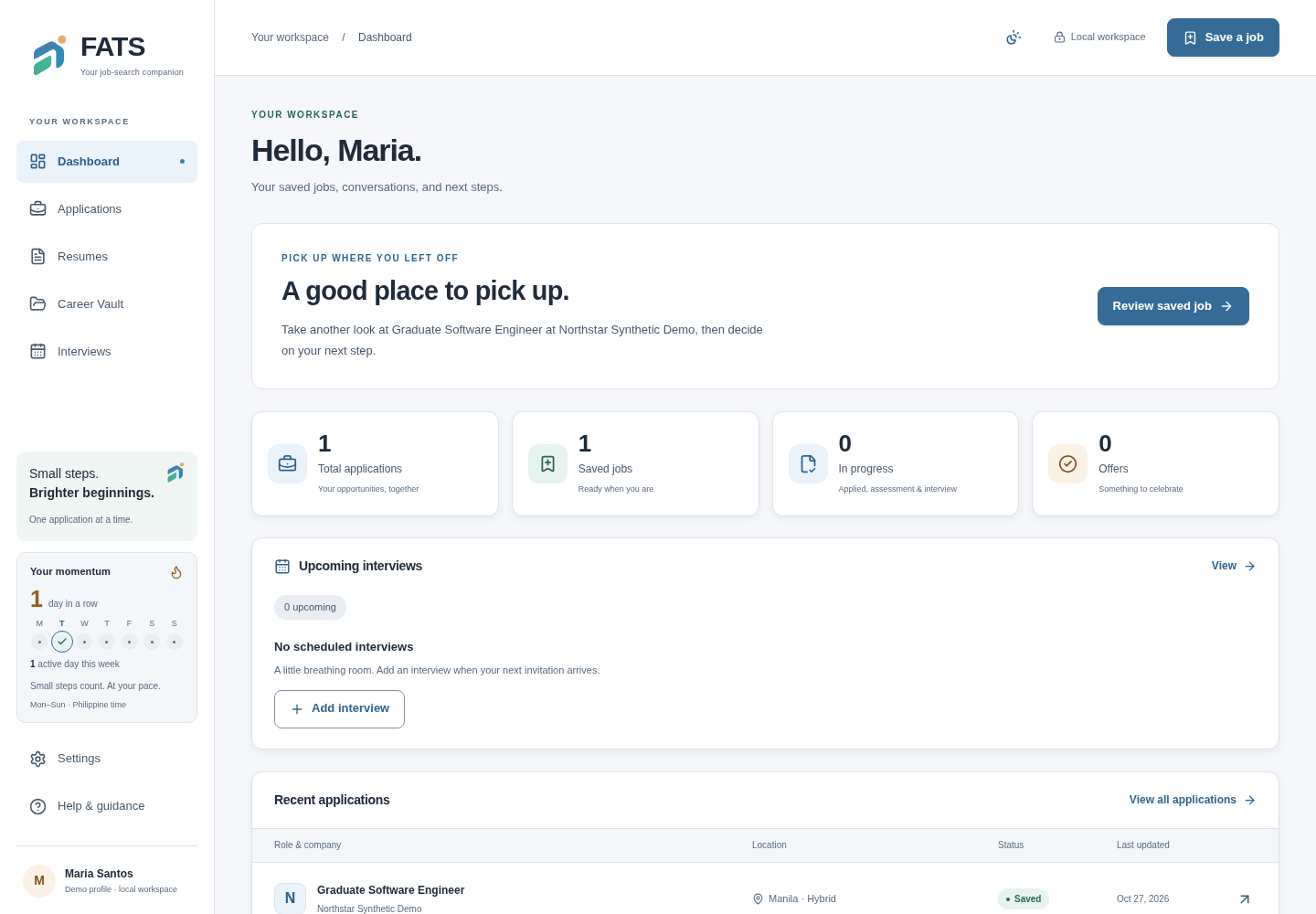
The fresh guest dashboard brings application stages and next actions into one workspace. Its fictional saved job is stored in this browser; no account document acceptance is demonstrated.
Authentic application captures. These controls explore screenshot evidence; they do not operate the app. Use Zoom to evidence, dim the surroundings, or open the full-resolution image. The text transcript below works without JavaScript.
The fresh guest dashboard brings application stages and next actions into one workspace. Its fictional saved job is stored in this browser; no account document acceptance is demonstrated.
The counts are synthetic test records, not user adoption or hiring outcomes.
Inspect corresponding screenshot (opens in a new tab)Sidekick captures a listing through the Chrome extension. Review and correct the fields before explicitly saving the opportunity.
This screenshot shows the guest handoff; the separate product journey verifies authenticated capture. Saving never submits an application.
Inspect corresponding screenshot (opens in a new tab)Keep saved jobs, descriptions and manual application stages together. The fresh guest capture verifies a stage change after reload in local storage; account persistence is described by the earlier evidence.
Guest data stays browser-local. Stage changes are user decisions, separate from interview and offer events.
Inspect corresponding screenshot (opens in a new tab)Read the fictional job description, set its manual stage to Applied and reload. The recorded guest workflow verifies local persistence.
Changing the tracker stage never submits an application to an employer.
Inspect corresponding screenshot (opens in a new tab)Schedule conversations in explicit time zones and keep preparation and reflection notes attached to the opportunity.
Completing an interview does not automatically advance an application.
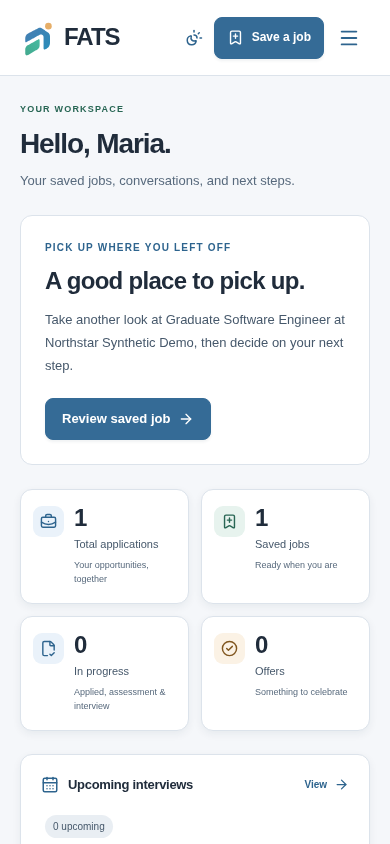
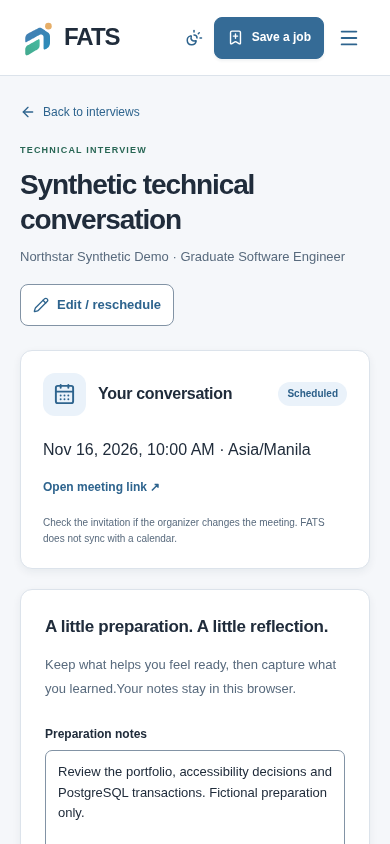
Inspect corresponding screenshot (opens in a new tab)A fictional technical interview is scheduled in Asia/Manila. Its detail view keeps the preparation notes beside the interview information.
This is a local planning record; no meeting invitation or email is sent.
Inspect corresponding screenshot (opens in a new tab)The library implements resume and document versions, but current local intake refuses new files while its required scanner is unavailable. The error retains the form draft.
This is evidence of the safety boundary, not a successful upload. Earlier populated-library captures used test scanner fixtures.
Inspect corresponding screenshot (opens in a new tab)The current resume workspace requires sign-in for private document management. The recording also shows the Offer Desk sign-in prerequisite; neither is represented as successful authenticated operation.
Prior scanner refusal and authenticated offer evidence remain labeled historical. AI matching stays disabled; PDF v2 remains a development candidate.
Inspect corresponding screenshot (opens in a new tab)Offer Desk records terms, questions, revisions and a deliberate decision. Career Vault supports an explicit transition into employment and document checklists.
No employer is contacted. Accepting an offer does not silently create employment or alter an application stage.
Inspect corresponding screenshot (opens in a new tab)Local production build; fictional job and interview in a fresh guest browser workspace. Status changes persist locally. Private documents and Offer Desk require an account; AI matching remains disabled. Prior authenticated captures and known failures remain disclosed below.
Read the Phase 5D capture and verification report
Local guest records and authenticated PostgreSQL workspaces use distinct persistence boundaries. Imports, retries and account changes must not merge another person's data.
Capture does not apply, interviews do not advance stages, offer acceptance does not create employment automatically, and unavailable scanning never promotes a document.
Matching uses consent-gated extraction, structured model outputs and evidence validation. The feature remains disabled by default: live-model quality, safety and usefulness have not been established.
A bounded capture contract checks origin, freshness and listing fields before confirmation. The extension hands off data without becoming an automatic job application agent.
libs/domain/src/capture.ts (opens in a new tab)Domain rules govern applications, interviews and offers; account adapters persist them in PostgreSQL. Guest storage remains a separate local path.
docs/PRODUCT_INTEGRATION_VERIFICATION.md (opens in a new tab)Private intake requires scanning and constrained parsing. Supporting browser PDF tools use PDF.js for rendering and pdf-lib in a worker for output; local edits are not saved library versions.
apps/web/src/lib/pdf-tools-engine.ts (opens in a new tab)The existing editor is separate from the development-only v2 candidate shown here. V2 processes real local PDFs; the separate design prototype is simulated and is not used in this walkthrough. Nothing shown establishes release readiness.
Choose a detail step to use zoom and dimming.
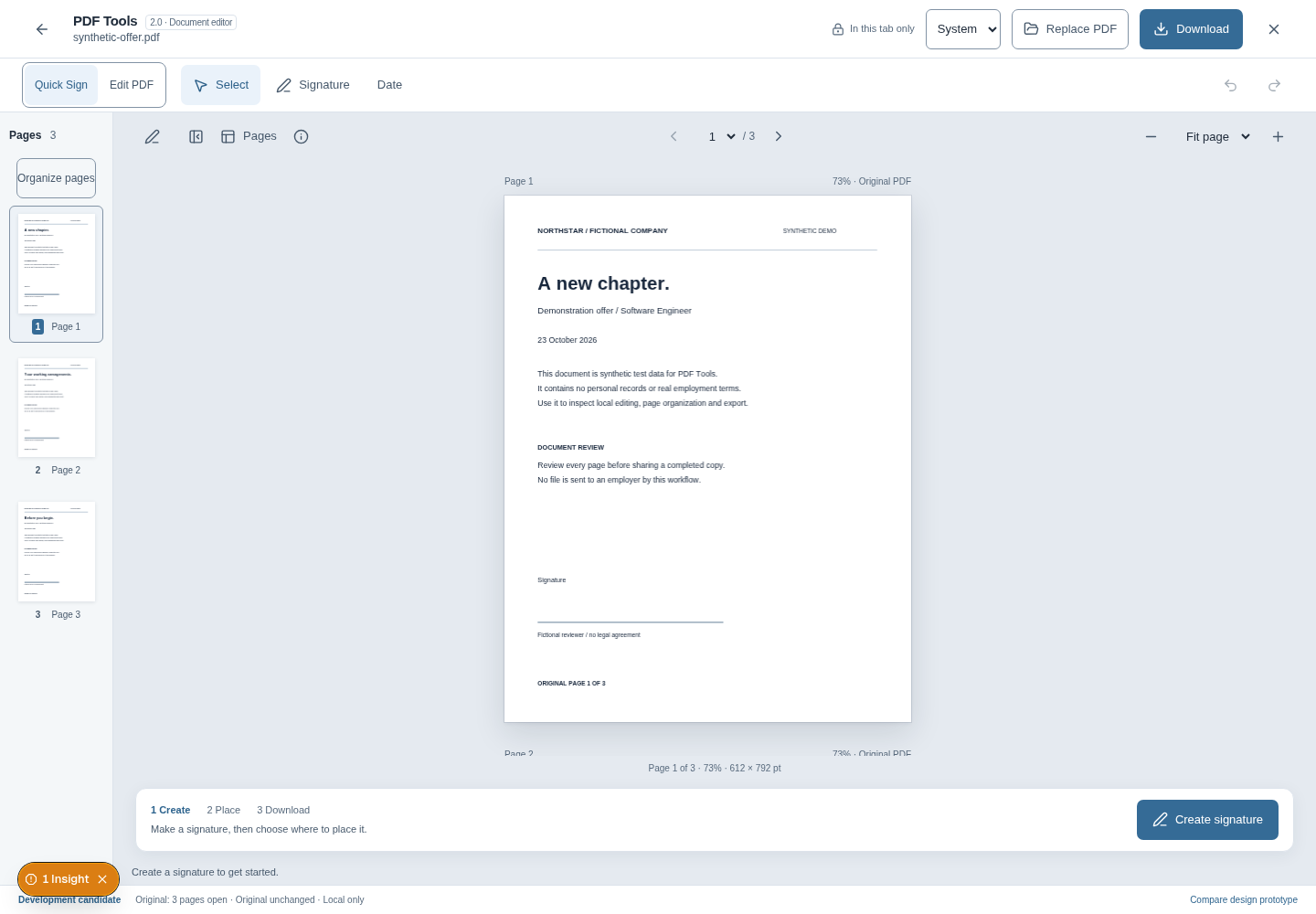
The header says In this tab only. This is session-local editing, not a saved document or a Career Vault upload.
Guided inspection
Step 1 of 5
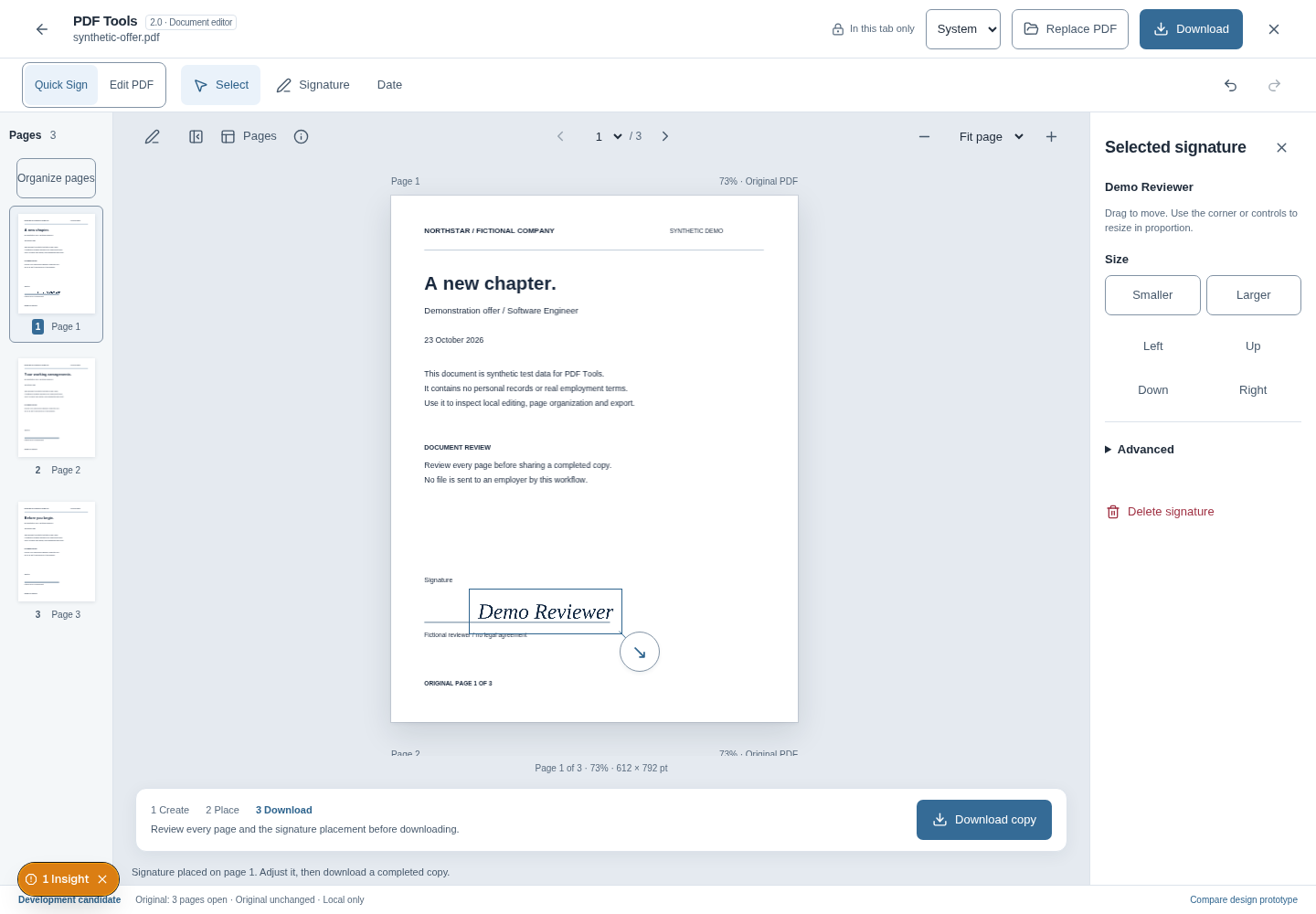
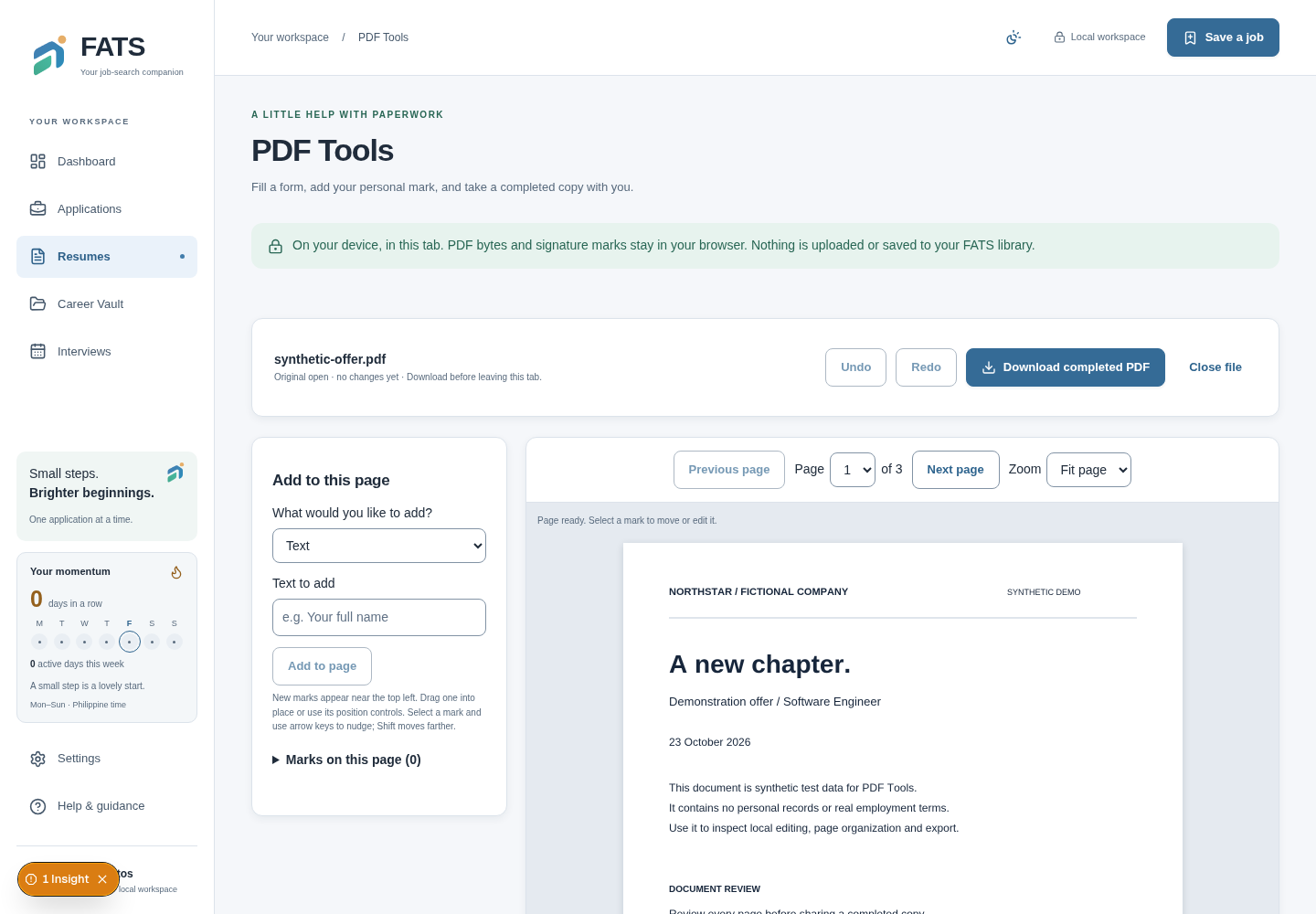
The local file picker opens a three-page synthetic offer. The document, thumbnail rail and page controls are rendered by the running application, using actual PDF bytes.
The local file picker opens a three-page synthetic offer. The document, thumbnail rail and page controls are rendered by the running application, using actual PDF bytes.
The header says In this tab only. This is session-local editing, not a saved document or a Career Vault upload.
Inspect screenshotA typed signature becomes a placed mark with movement and proportional size controls. The same artwork is embedded in the completed PDF.
This is a visual personal mark. It is not a cryptographic signature, identity verification or certification.
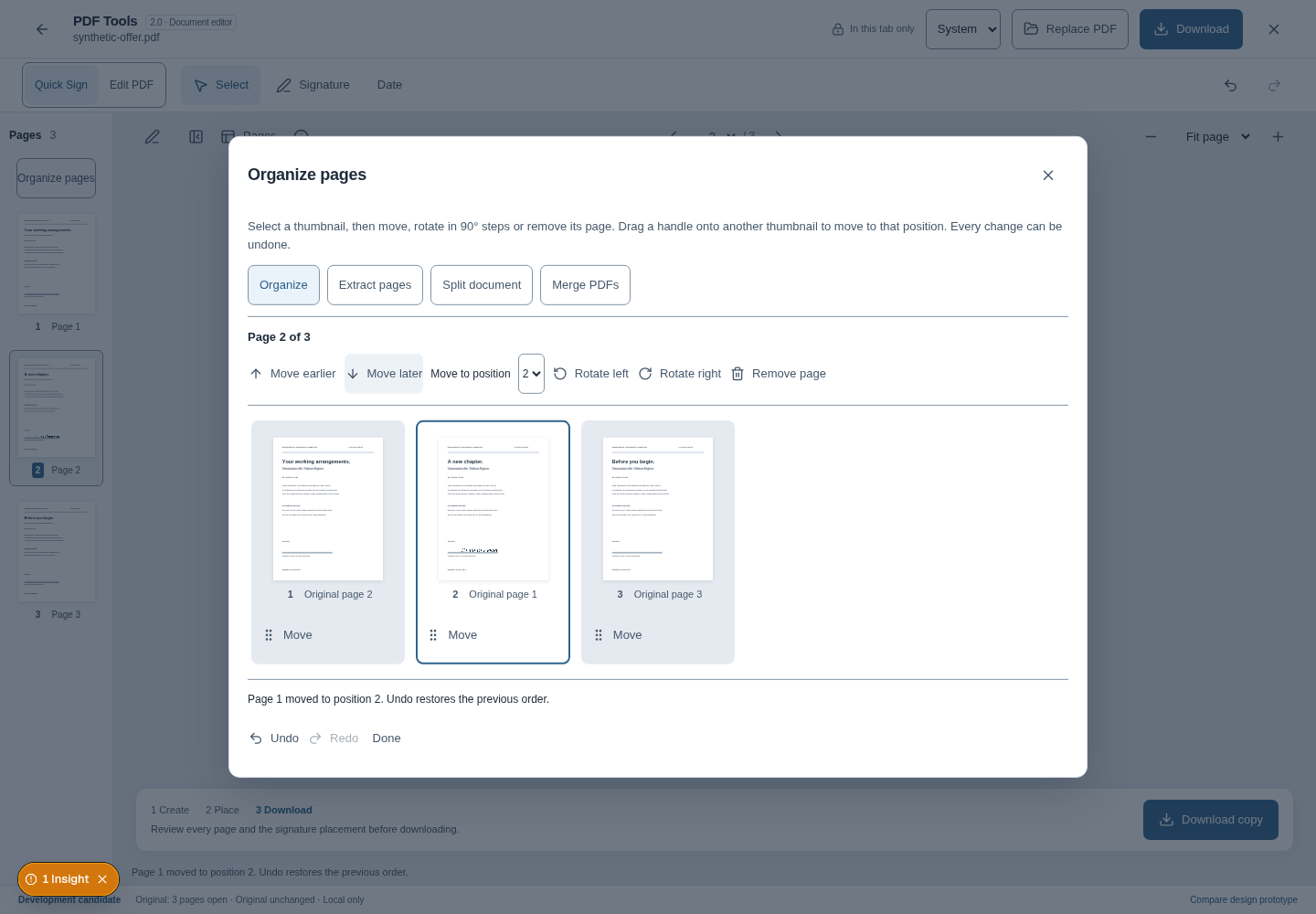
Inspect screenshotMoving the first page later changes the order to original pages 2, 1, 3. The selected thumbnail retains its original-page label, and the operation can be undone.
The second thumbnail is current page 2 / original page 1. Stable source identity keeps its signature attached to the correct page.
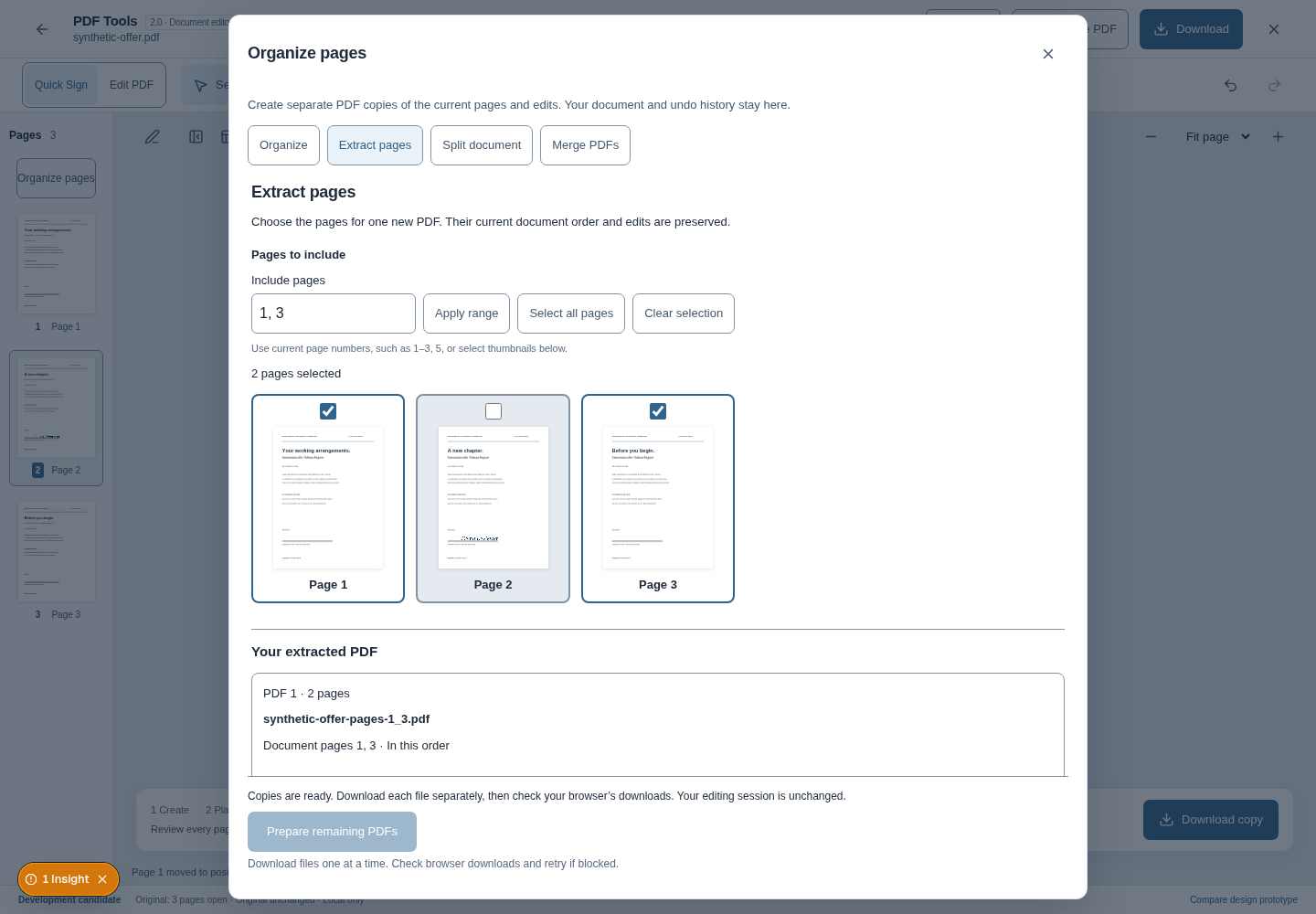
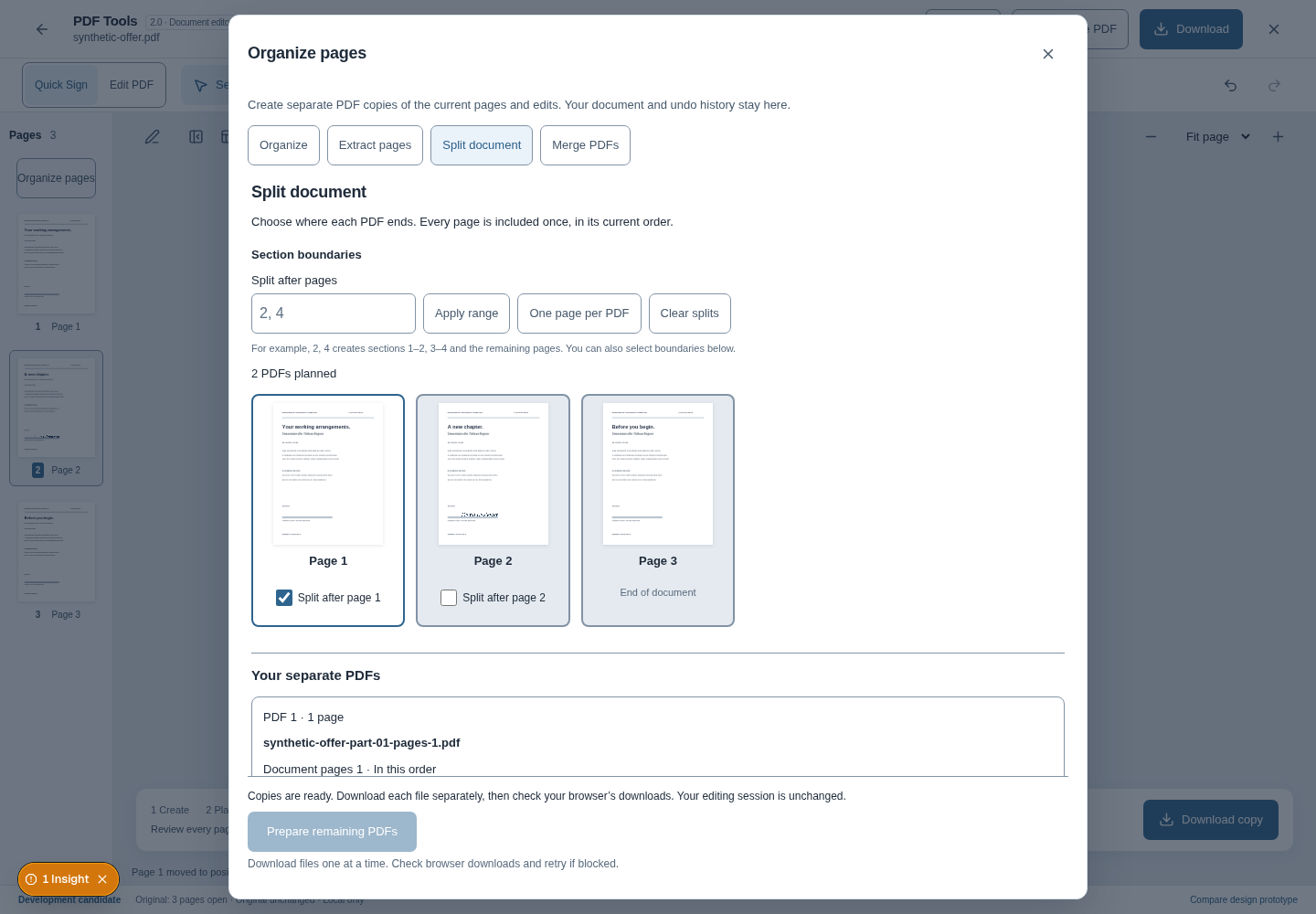
Inspect screenshotExtraction selects current pages 1 and 3 without replacing the editing session. A separate split workflow divides the three-page document after page 1 into one-page and two-page outputs.
The capture selected 2 pages. The downloaded extraction reopened with 2 pages; the two downloaded split files reopened with 1 and 2 pages.
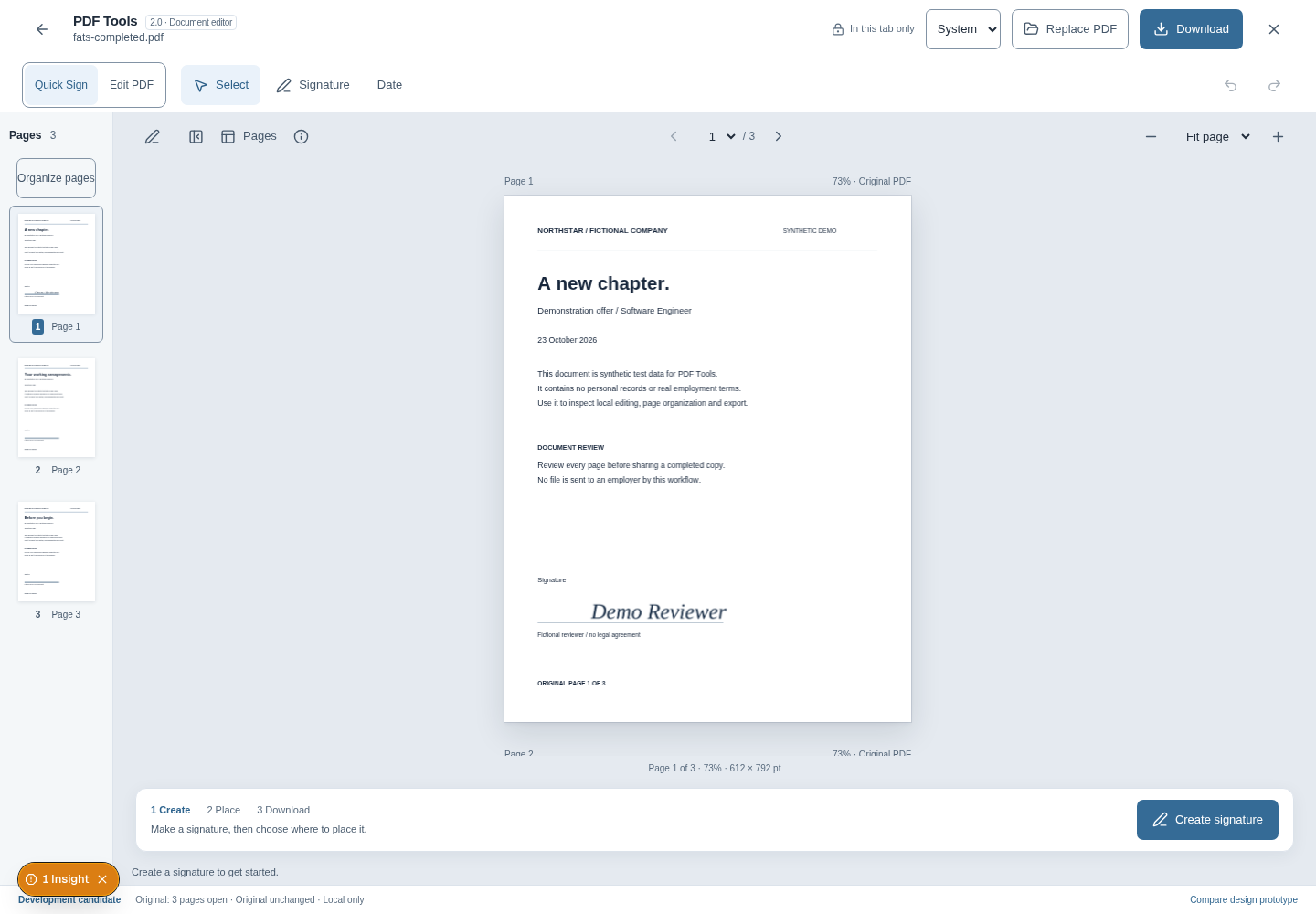
Inspect screenshotThe completed file was downloaded through the browser, parsed with pdf-lib to check its three pages, then reopened through the actual PDF.js workspace in a fresh browser page.
The signature is now part of the reopened document. This verifies this synthetic export, not all PDF structures or other viewers.
Inspect screenshotUpstream results below are attributed to their recorded checks. This portfolio change does not rerun every application suite.
The product integration report records two complete desktop/narrow journeys: registration, real packaged Sidekick capture, stages, interview notes, offer decisions, explicit employment, local PDF export and backup/import. These are prior upstream checks, not newly rerun application tests.
Production intake tests verify a real 503 when scanning is unavailable, preservation of the draft and denial of legacy/quarantine access. Accepted resume/version uploads need actual-scanner verification; populated test-fixture libraries do not establish that prerequisite.
The paused model-comparison plan has a frozen source-hash mismatch; parser capacity failures occurred under parallel execution. Earlier backup and Sidekick-origin failures have later successful scoped evidence. The portfolio's earlier PDF-v2 capture recorded five developer-overlay click failures. None is silently recast as a green full release gate.
Synthetic browser downloads from the earlier PDF verification. The completed copy precedes reordering; extraction and splits use the reordered document.
Working implementation and release readiness have different evidence requirements.
Source links are pinned to the inspected revision. The Phase 5 report distinguishes retained captures, current source, prior test results and checks executed for this portfolio change.