A focused photo album
Applied Hallmark Atelier with Sentient, Hanken Grotesk, warm paper and muted slate. Photograph composition, responsive rows, caption limits, visible focus and real recovery states lead the interface.
Keeping photographs and their data together.
A simple online photo album with a Next.js interface, FastAPI backend, PostgreSQL persistence and genuine Clerk authentication.
Image sharing / independent engineering project
People browsing public photographs and signed-in owners managing their own images and captions.
An image upload needs more than a filename: the application must verify content, enforce ownership, select appropriate image sizes and keep storage references safe during replacement or failure.
Built and verified the album interface, media validation and variants, authenticated ownership boundaries, and safe local/S3-compatible storage lifecycle.
Applied Hallmark Atelier with Sentient, Hanken Grotesk, warm paper and muted slate. Photograph composition, responsive rows, caption limits, visible focus and real recovery states lead the interface.
Used genuine Clerk sessions and API owner checks. PostgreSQL row locks serialize replacement/deletion; old media is removed after commit, while a refresh failure cannot delete an already committed replacement.
Generated bounded WebP variants with original fallback. Local development needs no cloud account; an S3-compatible adapter uses immutable namespaces, private manifests and bounded SDK calls, verified against local MinIO.
Fresh current standalone frontend captures with bundled demo photographs, a cached release API and isolated PostgreSQL. The retained authenticated upload screenshot comes from the earlier real Clerk release suite and masks the avatar. The public frontend returned HTTP 200 on 27 October 2026, but its gallery could not reach the API.
Choose a detail step to use zoom and dimming.
The photographs come from repository demo assets. Counts and photos are real backend data; no user-growth or production claims are implied.
Guided inspection
Step 1 of 5
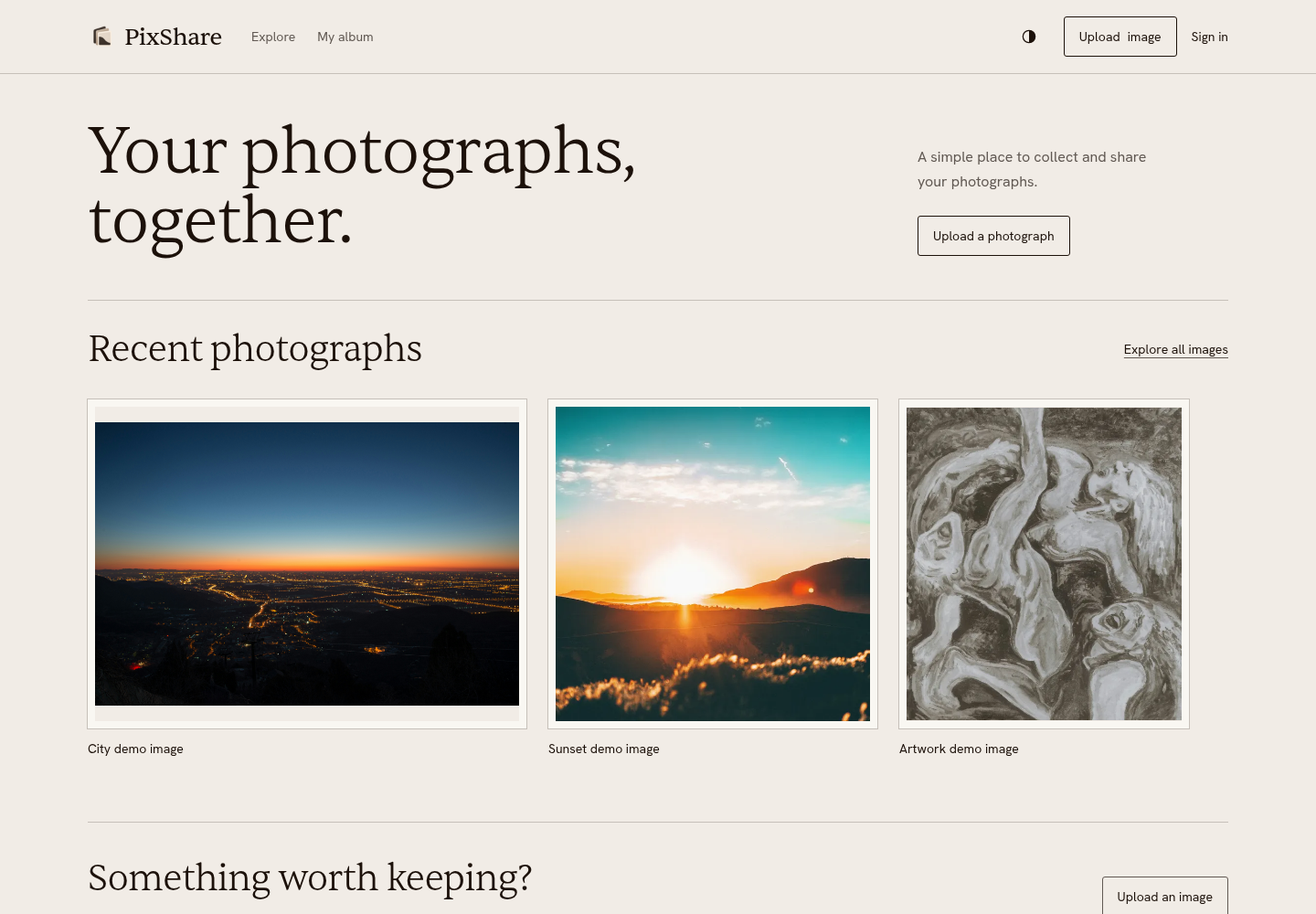
The landing screen opens directly onto the working album, using the selected Atelier typography and restrained surfaces.
Authentic application captures. These controls explore screenshot evidence; they do not operate the app. Use Zoom to evidence, dim the surroundings, or open the full-resolution image. The text transcript below works without JavaScript.
The landing screen opens directly onto the working album, using the selected Atelier typography and restrained surfaces.
The photographs come from repository demo assets. Counts and photos are real backend data; no user-growth or production claims are implied.
Inspect corresponding screenshot (opens in a new tab)Dimension-aware rows preserve the source order and whole photograph. Filtering, sorting and pagination keep their existing API behavior.
Images are public. Mutation ownership is a backend authorization boundary, separate from public image URLs.
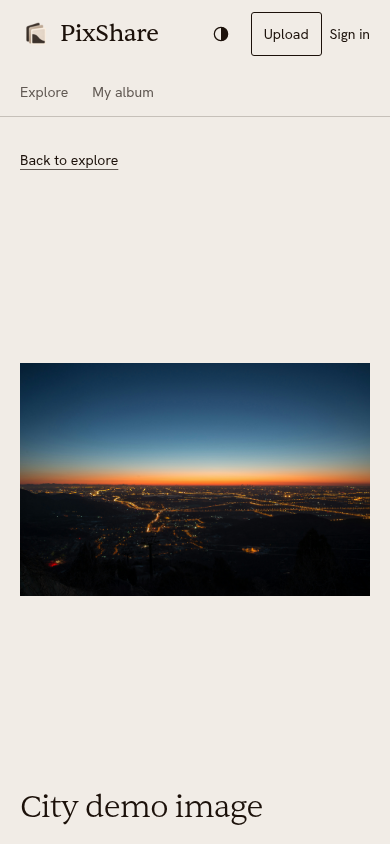
Inspect corresponding screenshot (opens in a new tab)Open a real image from the local gallery and inspect its caption, format and original file metadata.
The photograph comes from the repository demo fixtures and is served by the real isolated backend.
Inspect corresponding screenshot (opens in a new tab)The real picker and caption form retain validation, progress, error focus and public-visibility guidance.
The full browser suite separately verifies signup, sign-in, account switching, upload, caption edit, replacement, ownership denial and deletion with real Clerk sessions.
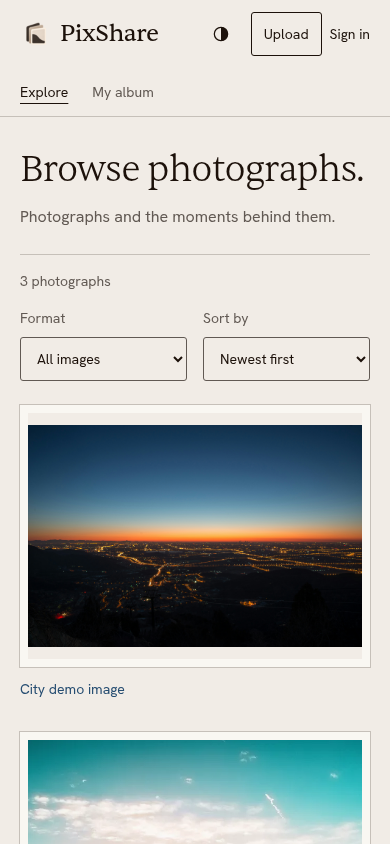
Inspect corresponding screenshot (opens in a new tab)Mobile uses one source-ordered column, bounded captions, comfortable controls and the same light/dark system.
Captured in Chromium at a mobile viewport. Physical-device and complete assistive-technology verification are not claimed.
Inspect corresponding screenshot (opens in a new tab)Current local standalone frontend, cached release API and disposable PostgreSQL with bundled demo photographs. Real frontend interactions and API responses. Fresh authenticated upload/management is blocked; prior release evidence is retained and labeled. The public frontend responds, but its gallery was unavailable on 27 October 2026.
Read the Phase 5D capture and verification report
Public deployment check: PixShare frontend (opens in a new tab) responded with HTTP 200; the gallery could not reach its API. The card retains its case-study destination while this remains unresolved.
PostgreSQL and media storage cannot commit atomically. New media is cleaned on commit failure, old media after success, and explicit reconciliation handles possible orphans.
Decode limits protect the API, while WebP variants reduce selected payload size. Fixture-scoped byte savings support an engineering decision without claiming production latency or scale.
The API verifies MIME/format agreement and bounded Pillow decoding, with independent 10 MiB, 16-megapixel, side-length and request-envelope limits.
app/core/upload.py (opens in a new tab)Owner-only mutations lock the row. Failed commits clean new uploads; successful commits precede old-media cleanup. Database and storage cannot share an atomic transaction, so orphan limitations remain documented.
app/api/routes/posts.py (opens in a new tab)The browser chooses actual-width WebP sources through the existing picture component, while originals remain available. Storage routing preserves old local references when new writes use object storage.
web/components/posts/PostImage.tsx (opens in a new tab)Upstream results below are attributed to their recorded checks. This portfolio change does not rerun every application suite.
141 tests passed with a separate disposable PostgreSQL database, including 14 real local MinIO integration cases and demo-seed preservation/idempotence. Ruff and basedpyright passed.
30 cases passed on the final Atelier production build, including setup, 24 public/device checks and five genuine Clerk journeys. Frontend lint, TypeScript and production build passed.
53 final workflow/state captures reported no axe violations or horizontal overflow. For three normalized demo photos at DPR 1, selected bodies totaled 91,058 bytes versus 3,333,388 original bytes, a 97.27% reduction. This is fixture-scoped payload evidence, not a latency or capacity benchmark.
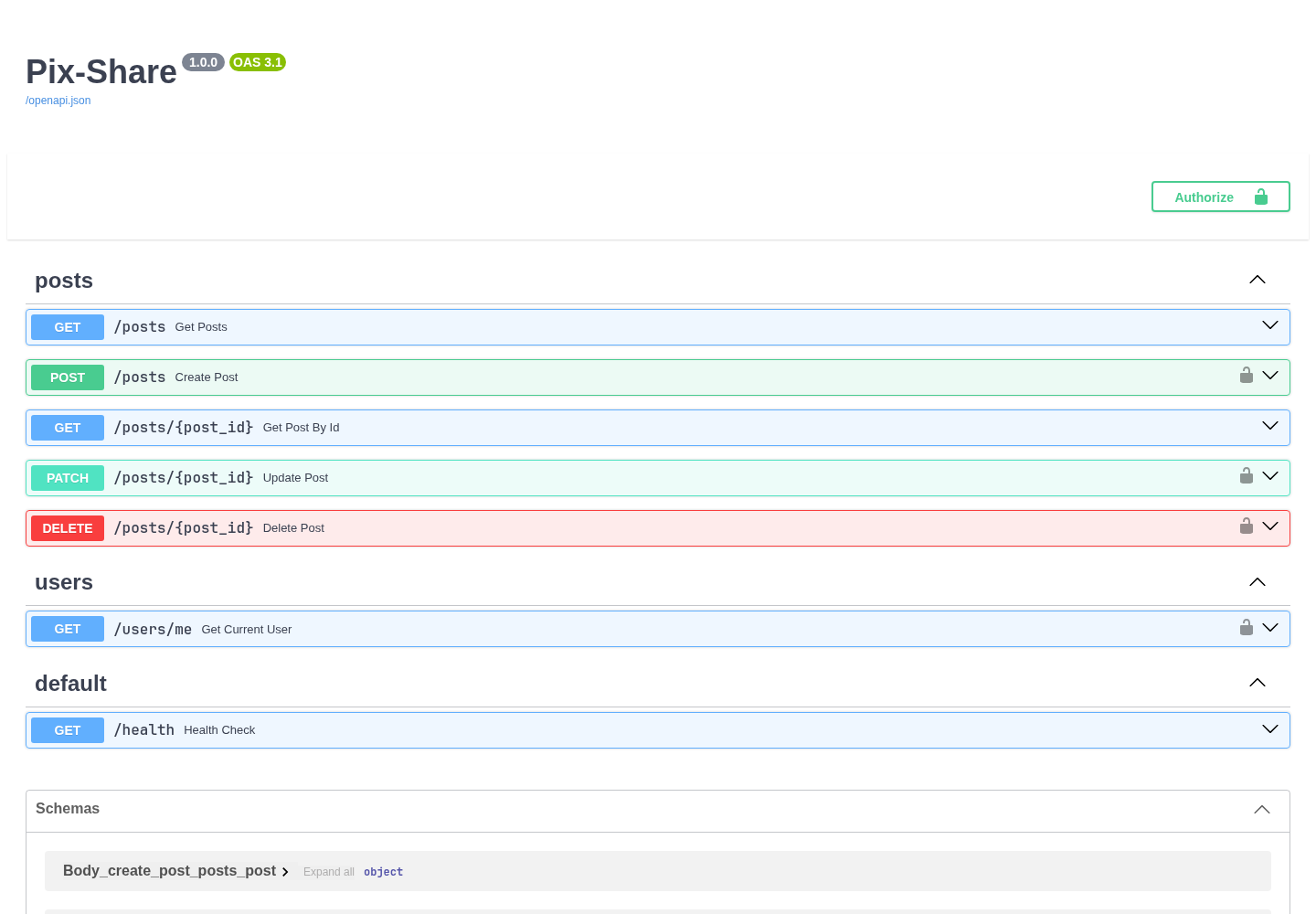
Earlier API capture, retained as secondary evidence. Frontend and authenticated lifecycle checks come from the later release report.
Working implementation and release readiness have different evidence requirements.
Source links are pinned to the inspected revision. The Phase 5 report distinguishes retained captures, current source, prior test results and checks executed for this portfolio change.